TL;DR: Most AI agent skills break the moment you share them. They hardcode home paths, bundle one team's workflow inside the base instructions, or depend on one editor's slash-command syntax. We just published
drawcode/agnostic-skills, an MIT-licensed collection of 7 portable skills plus an authoring guide (AUTHORING.md) designed to run across Claude Code, Antigravity, Codex, opencode, Cursor, and plain terminals with stdlib Python 3.9+ and zero Python package dependencies.
drawcode/agnostic-skillsMIT licensed • 7 self-contained skills +
AUTHORING.md • Zero Python dependencies • macOS, Linux & Windows
When you write skills for one project or one assistant, everything tends to get tangled together: personal directory paths, project bundle IDs, local build recipes, and harness-specific hooks all end up inside SKILL.md. The next time you switch machines, share the skill with a teammate, or try another coding harness, half the instructions fail or leak details that never belonged in a reusable skill.
drawcode/agnostic-skills separates the generic workflow from your private setup:
- Zero Python package dependencies: Every script uses standard-library Python 3.9+,
pathlib,subprocess.run([...])withoutshell=True, and UTF-8 file I/O so it behaves identically on macOS, Linux, and Windows. - Configs live outside the skill: Scripts resolve settings in strict order: environment variable, then
~/.config/<skill>/config.env(%APPDATA%\<skill>\config.envon Windows), then safe defaults. Each config-reading skill ships aconfig.example.envso nothing has to be guessed. - Runtime state lives outside repos: Hook logs, caches, and captures go under
${XDG_STATE_HOME:-~/.local/state}/<skill>(%LOCALAPPDATA%on Windows), never inside your git working trees. - Base plus add-on inheritance: Project-specific screens, deploy steps, or engine hooks live in private
addons/<name>.addon.mdfiles beside the base skill, following our AI skill inheritance pattern.
The 7 Skills in agnostic-skills
Each folder under skills/<name>/ is self-contained with its own SKILL.md, INSTALL.md, optional config.example.env, and scripts/. Several of these skills also have deep-dive engineering walkthroughs and downloadable archives right here on the studio blog.
| Skill | What It Solves | Scripts & Tools | Related Studio Guide |
|---|---|---|---|
deterministic-scripts |
Move repeatable counts, checks, config reads, and secret scans out of LLM tokens and into deterministic CLIs | 15 files (new_script.py, check_scripts.py, homecfg.py, repeat_scan.py, scan_sensitive.py, scrub_sensitive.py, install_hooks.py, pre-commit) |
Deterministic Scripts & Zero-Token Architecture |
thread-cost |
Track per-turn transcript spend, warn on context growth or cache expiry, and hand off cleanly to a fresh thread | 11 files (thread_cost_alert.py, thread_usage.py, thread_handoff.py, thread_idle_capture.py, thread_hooks_install.py, model_prices.json) |
Thread Cost: Capture-Then-Clear Handoffs & Context Window Compression |
video-trim |
Crop captures to the app window, cut frozen waiting time, scrub notification banners via OCR, and stitch chaptered review videos | 11 files (app_crop.py, trim.py, cut_windows.py, scrub_overlays.py, stitch.py, side_by_side.py, frame_strip.py, ocr_frames.swift) |
Video Trim: Cutting Dead Time and Banners |
device-testing |
Drive attached Android and iOS phones from one terminal CLI with build-symbol checks, screen-map plans, and log waits | 38 files (device.py, device_tap_nudge.py, ios-sim-harness.py, agents/device-runner.md, references/, Swift media helper) |
Uses Zero-Token Architecture & Skill Inheritance |
gameplay-verification |
Prove a gameplay fix in a live round instead of trusting a clean compile | 2 files (SKILL.md, INSTALL.md with engine and game add-on templates) |
Pairs with Game Design Tips & Skill Inheritance |
tiered-delegation |
Route each subtask to the cheapest model tier (architect, workhorse, sprinter) with lean subagent profiles |
17 files (estimate_delegation.py, pick_agent.py, tally_cost.py, 5 lean agents/*.md profiles, references/) |
Extends Zero-Token Architecture & Thread Cost |
model-routing |
Pick a model family alias from a subagent brief and keep missed model parameters on the mid tier |
6 files (pick_model.py, pick_agent.py, test_pick_model.py, references/) |
Companion to tiered-delegation |
Deep Dive: Skill by Skill
1. deterministic-scripts
- Source:
skills/deterministic-scripts/ - Full studio guide: Deterministic Scripts in AI Harnesses: Zero-Token Infrastructure for Cheaper Subagent Handoffs
Asking a reasoning model to invent grep pipelines, parse JSON logs, or count files by hand burns tokens and drifts across runs. deterministic-scripts codifies our Zero-Token Architecture: write or scaffold a script once with --help, --json, and strict 0 / 1 / 2 exit codes, then invoke it forever at zero token cost.
Beyond the SKILL.md rules, the shipped kit includes:
new_script.pyandcheck_scripts.pyto scaffold and lint scripts against the contract.homecfg.pyto read secrets and personal values from~/.config/<skill>/config.env(%APPDATA%on Windows) so credentials stay out of prompts and repos.scan_sensitive.py,scrub_sensitive.py, andinstall_hooks.py(withhooks/pre-commit) so pattern-based leak scanning blocks emails, tokens, and local home paths before a commit lands.repeat_scan.pyto scan local transcripts for repeated shell commands that ought to become scripts.
2. thread-cost
- Source:
skills/thread-cost/ - Full studio guide: Thread Cost: Capture-Then-Clear Handoffs and Per-Turn Economics for AI Agent Threads (with direct thread-cost.zip download)
Every turn in an AI coding thread re-reads the conversation prefix. Once a thread grows past 300K-400K tokens, each request costs roughly twice as much and attention drifts. thread-cost reads local harness transcripts offline with zero API calls (thread_usage.py), tracks per-model cache TTLs (model_prices.json), triggers alerts (thread_cost_alert.py) at growth or spend thresholds, and wires a one-shot handoff hook (thread_handoff.py, thread_hooks_install.py) so you bounce cleanly into a fresh thread. It pairs directly with manual Context Window Compression when you want a compact handover prompt.
3. video-trim
- Source:
skills/video-trim/ - Full studio guide: Video Trim: Cutting Dead Time, Notification Banners, and Bloat Out of Screen Recordings (with direct video-trim.zip download)
Raw device captures spend most of their runtime sitting on loading screens while exposing desktop clutter or notification popups. video-trim wraps ffmpeg, ffprobe, Apple Vision OCR (on macOS), and Tesseract (cross-platform fallback) into seven deterministic scripts:
scrub_overlays.pycuts top-bar notification banners first using OCR and verifies the clip re-scans clean.app_crop.pydetects the app rectangle automatically from flat borders and motion edges (leaving app-only phone recordings untouched, or exiting3instead of guessing when ambiguous) so desktop surroundings never leak into review clips.trim.pyandcut_windows.pyapply the crop and cut static waits (or keep log-aligned evidence windows) in a single encode, preserving a source-time subtitle track and.trimmap.txt/.segments.txt.side_by_side.py,frame_strip.py, andstitch.pyhandle slowed before/after diffs, contact sheets, and chaptered review videos.
4. device-testing
- Source:
skills/device-testing/
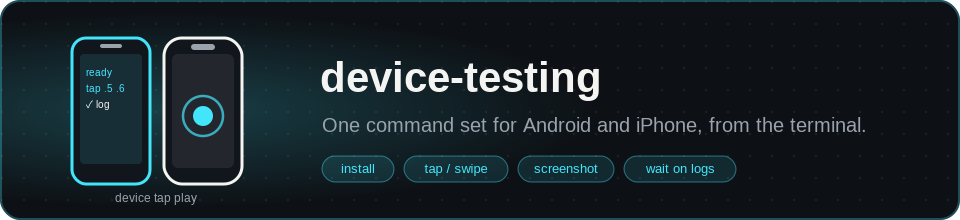
device-testing gives agents a single terminal CLI (scripts/device.py) across attached Android phones (adb) and iPhones (xcrun devicectl, pymobiledevice3, Xcode UI helpers, and Simulator support). Every project-specific detail stays out of the skill and lives in config.example.env, DEVICE_NAV_PROFILE, or a private add-on:
- Proof before tapping:
install --symbol MY_CONSTverifies the installed build carries your change before running a test pass. - No blind
sleeploops:wait <regex>andnav <step>wait on real device log lines, anddevice run <plan>drives multi-step flows in one call. - Subagent-ready: Ships
agents/device-runner.mdso screenshot- and log-heavy device passes return a compact pass/fail verdict and cropped artifact paths instead of flooding the main thread, plus an optionaldevice_tap_nudge.pyhook that warns if an agent starts sending single taps turn by turn.
5. gameplay-verification
- Source:
skills/gameplay-verification/
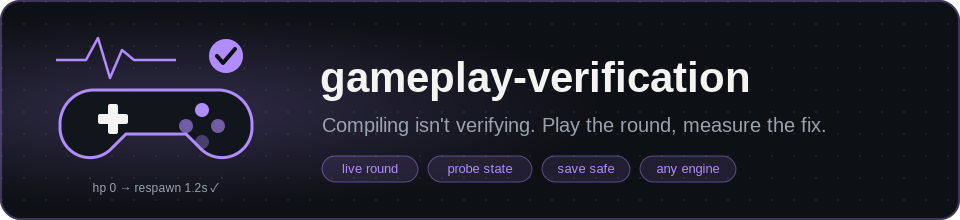
Compiling a game change or glancing at a static screenshot does not prove a fix worked. gameplay-verification is a compact, engine-agnostic protocol (SKILL.md + INSTALL.md with add-on templates) for proving gameplay changes in a live round:
- Reach a real round (and document what any scripted shortcut bypasses).
- Protect player saves and shared editor assets during test runs.
- Probe runtime state directly rather than guessing from screenshots, sample high-rate or sub-second effects inside the frame, and report clearly what was and was not exercised.
- Keep engine commands (Unity, Unreal, Godot) and game-specific levels inside private add-ons using skill inheritance.
6. tiered-delegation
- Source:
skills/tiered-delegation/
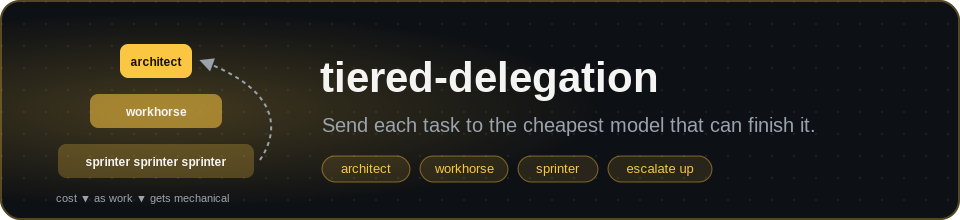
Instead of running every lookup, file edit, and test check on your heaviest frontier model, tiered-delegation breaks driver sessions into three tiers (architect, workhorse, sprinter):
- One level deep: Only the driving session plans and delegates; spawned subagents execute inline and return concise results or a
BLOCKEDstatus. - Lean subagent profiles: Ships 5 role profiles (
architect.md,workhorse.md,sprinter.md,scout.md,runner.md) designed to load roughly 5K-8K tokens instead of dragging 35K+ of full project rules into every worker. - Zero-token math:
estimate_delegation.py,pick_agent.py, andtally_cost.pyhandle spawn overhead vs. inline cost math and post-run ledger tallies usingmodel_prices.json-aligned pricing.
7. model-routing
- Source:
skills/model-routing/
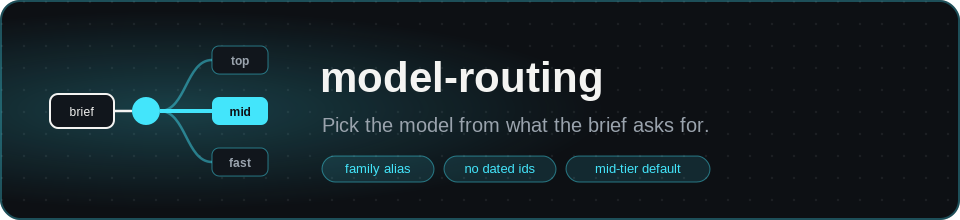
model-routing pairs with tiered-delegation so any harness or agent spawn picks the right model family alias from the brief (pick_model.py, pick_agent.py, plus test_pick_model.py unit tests) instead of hardcoding dated model IDs or defaulting every helper onto an expensive driver model. Extra team profiles can be injected cleanly via TIERED_DELEGATION_PROFILES or ~/.config/tiered-delegation/profiles.json without modifying the base skill.
Authoring and Customizing Without Forking
If you want to build your own portable skills or adapt these to your studio's repositories, read AUTHORING.md alongside our AI Skill Inheritance and Overrides article:
- Keep base skills clean: Never put usernames, emails, device serials, project names, or tokens in
SKILL.mdorscripts/. - Layer private overrides with add-ons: Create
addons/<project>.addon.mdwithtype: skill-addon,extends: ../<skill>/SKILL.md, andbase_version: YYYY-MM-DD. Have the agent read the base first, then the add-on, with the add-on winning on conflict. - Point harness files at one portable folder: Keep your
AGENTS.md,CLAUDE.md, orGEMINI.mdas thin pointers into your contexts and skills directory rather than duplicating instructions across every repo.
Quick Install
- Clone or copy
skills/<name>/into your harness skills directory:- Claude Code:
~/.claude/skills/<name>(global) or<repo>/.claude/skills/<name>(project) - Codex / opencode:
~/.agents/skills/<name> - Antigravity / Cursor / other harnesses: Any fixed folder referenced by your rules file (
AGENTS.md,GEMINI.md, etc.)
- Claude Code:
- Follow each skill's
INSTALL.md. Skills that install hooks (deterministic-scripts,thread-cost) ship report-first installers that show what would change, wait for--write, back up touched files, and support--uninstall --write. - Optionally copy
config.example.envto~/.config/<skill>/config.env(%APPDATA%\<skill>\config.envon Windows) if you want custom defaults.
Related Engineering Guides
- Deterministic Scripts in AI Harnesses: Zero-Token Infrastructure for Cheaper Subagent Handoffs
- Thread Cost: Capture-Then-Clear Handoffs and Per-Turn Economics for AI Agent Threads
- Video Trim: Cutting Dead Time, Notification Banners, and Bloat Out of Screen Recordings
- AI Skill Inheritance and Overrides: Layering Add-Ons Over Base and Official Skills
- Context Window Compression: The Practical Art of AI Coding State Handover
Revision History
- 2026-11-27 (Revision 2 - Current):
- Sections Modified: Header art and each Deep Dive skill section.
- Summary: Added the
agnostic-skillshero and the banner art for each of the 7 skills (the same SVGs the repository's README files use), each linking to its folder on GitHub. - Links: View Revision v1 • Compare Diff vs v1
- 2026-11-27 (Revision 1):
- Summary: Initial release covering the repository, all 7 skills and
AUTHORING.md.
- Summary: Initial release covering the repository, all 7 skills and